Schedule a Pickup with UPS

As a courtesy, Future Day pickup fees will be covered with every LampMaster mail-back recycling kit. Same-Day Pickup fees are NOT covered. Pickups are not guaranteed and may be unavailable at some locations. LM Kits can be always be dropped off at the nearest UPS Location.

  • There is a FEE for UPS pickups that can be CHARGED TO LAMPMASTER. Future Day Pickups ONLY — Same-Day Pickups will NOT be paid by LampMaster.
  • You will need LampMaster’s UPS account# and zip code. The UPS Account# can be found on the return label as the first 6 alphanumeric digits following ‘1Z’ in the tracking number. For example, if the tracking number is 1ZAB12347856901234, then the account# is AB1234. The UPS Account Zip Code is ‘45240’. 
  • See below for more detailed instructions, or continue to ‘Schedule UPS Pickup’.

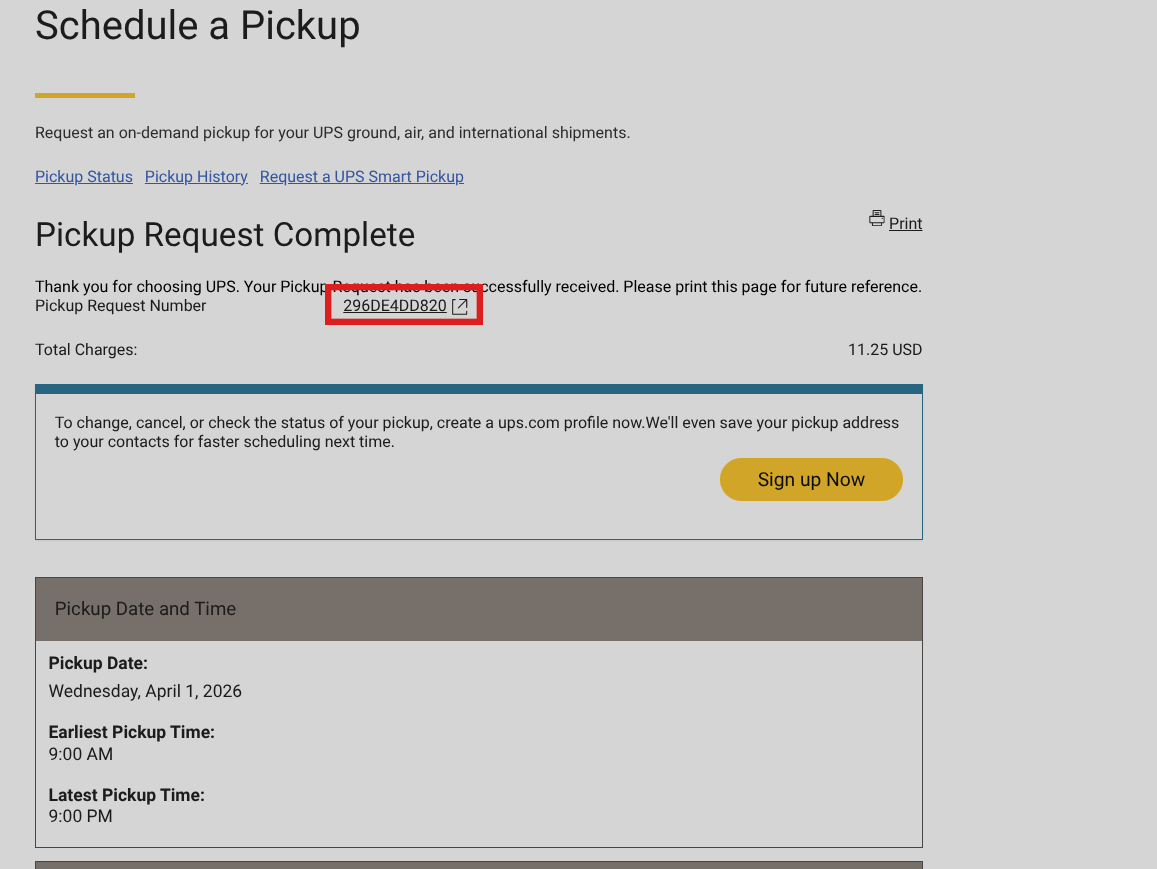
Save your Pickup Reference#. Any communications regarding a pickup must be addressed with UPS. LampMaster will not schedule a pickup on behalf of a customer and will not contact UPS to inquire why an item was not picked up. LampMaster should only be contacted regarding a pickup if a return label is invalid or a pickup is refused due to mislabeling or packaging issue.

Schedule UPS Pickup
  • Step

    Shipping Label Questions
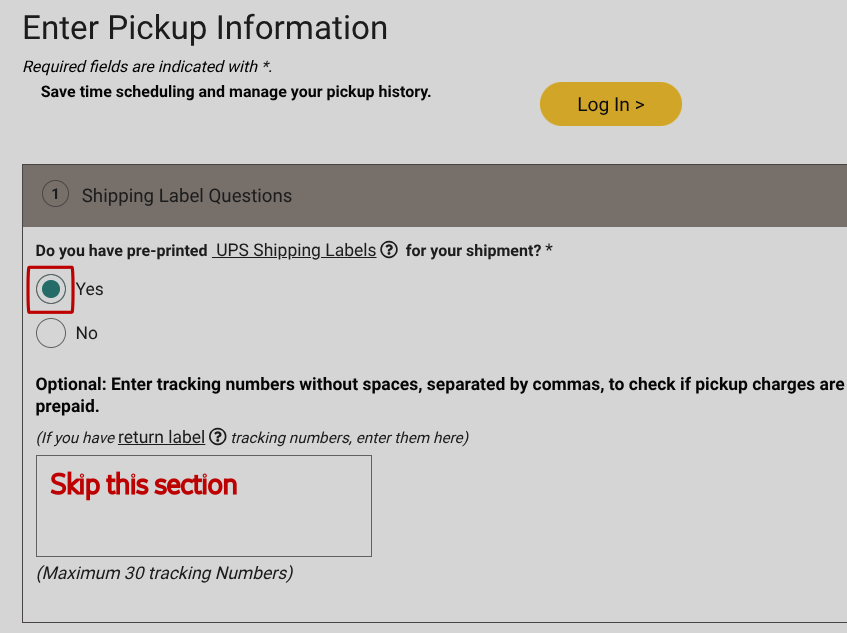
    • Do you have pre-printed UPS labels? Select 'Yes'
    • Skip the optional tracking# section
  • Step

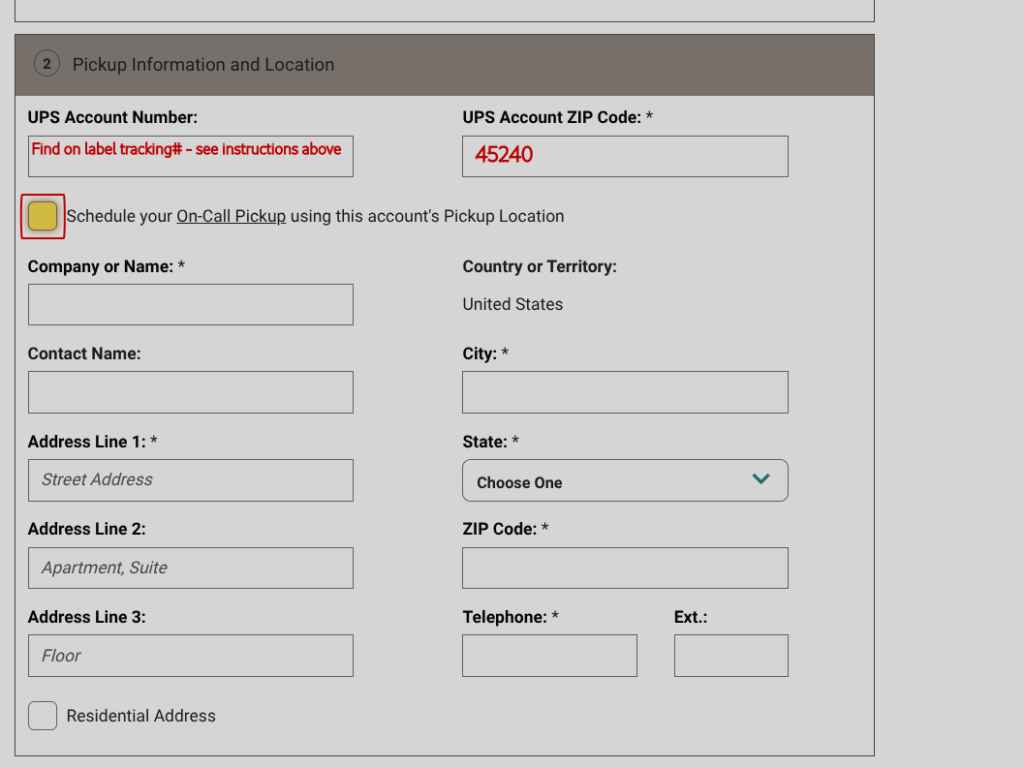
    Pickup Information and Location

    • UPS Account Number: Account# is 6 digits following '1Z' of tracking number found on the shipping label (see example above)
    • UPS Account ZIP Code: Enter '45240'
    • UNCHECK the box for 'Schedule your On-Call Pickup using this account's Pickup Location'
  • Step

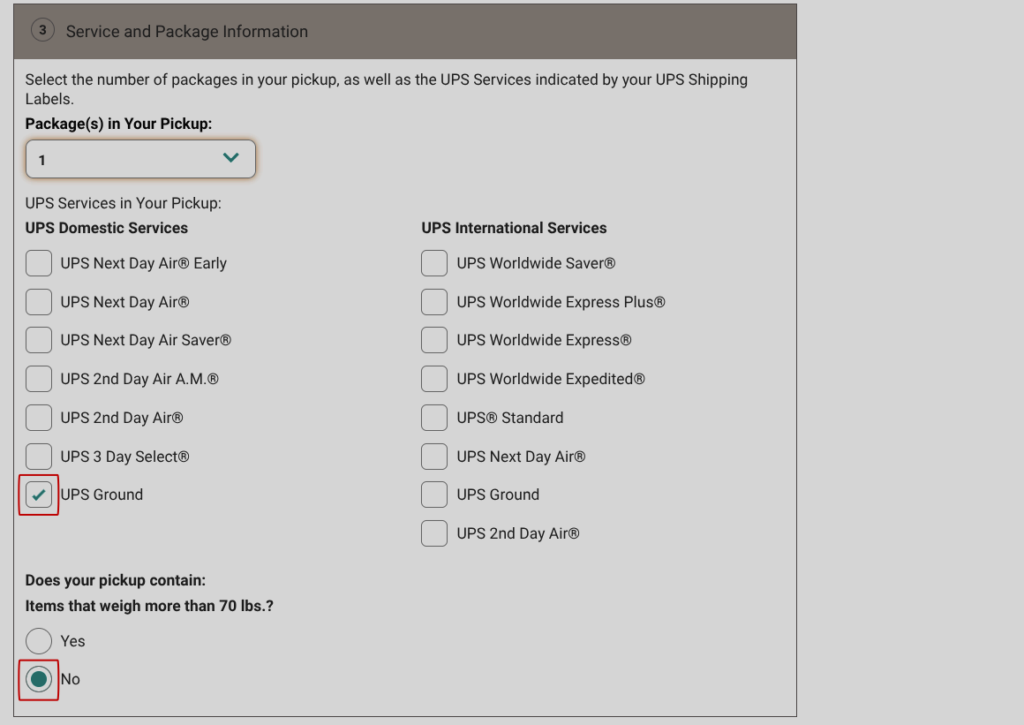
    Service and Package Information

    • Select number of 'Package(s) in Your Pickup'
    • Select 'UPS Ground'
    • Does your pickup contain items that weigh more than 70lbs? Select 'No'
  • Step

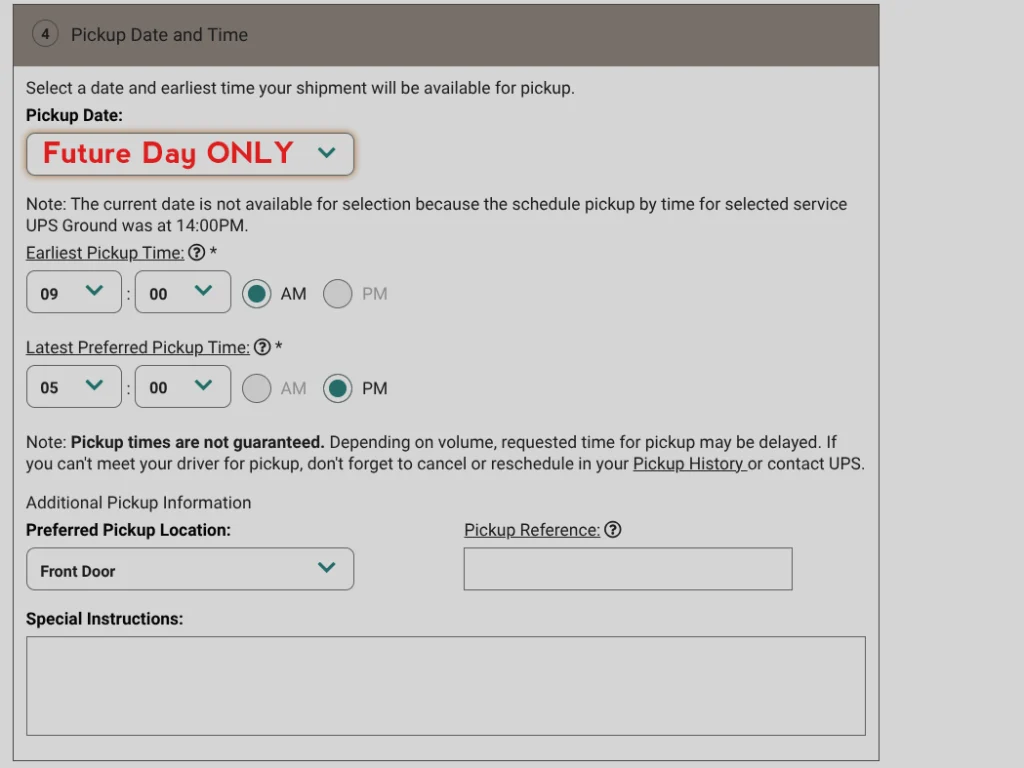
    Pickup Date and Time

    • Pickup Date: Schedule for Next Day or Later
      Same-Day Pickups are NOT covered and will be charged back to the customer.
    • Choose pickup time, preferred pickup location, and include any special instructions
  • Step

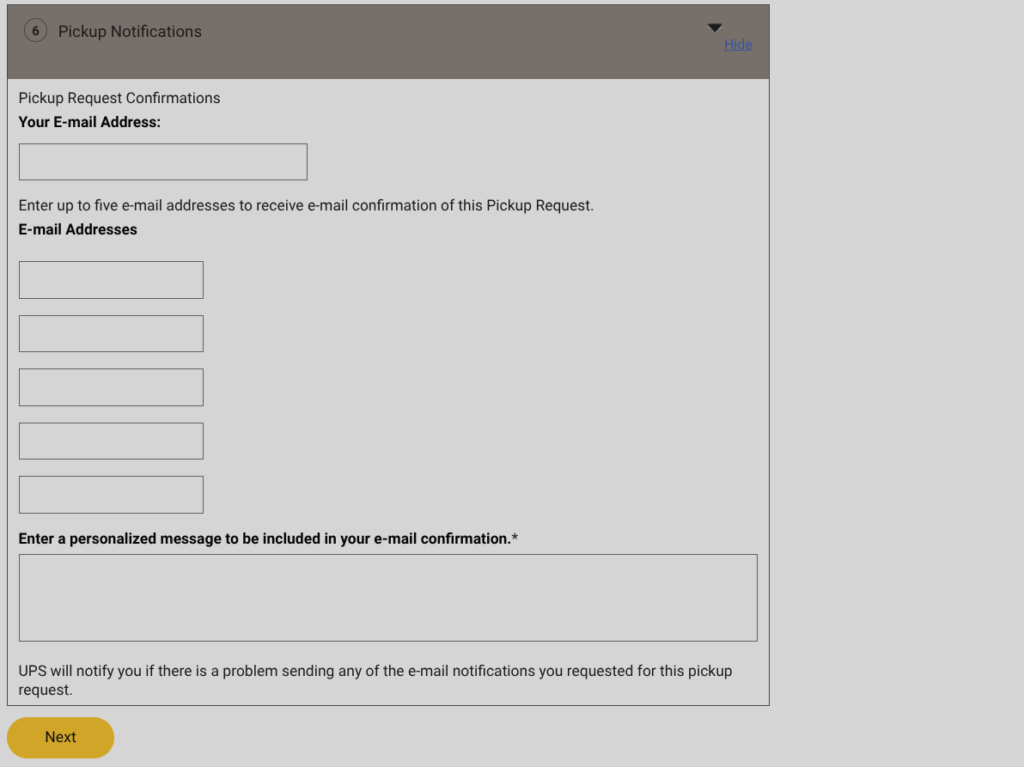
    Pickup Notifications

    • If you would like to receive notifications enter your contact info here
    • Click 'Next'
  • Step

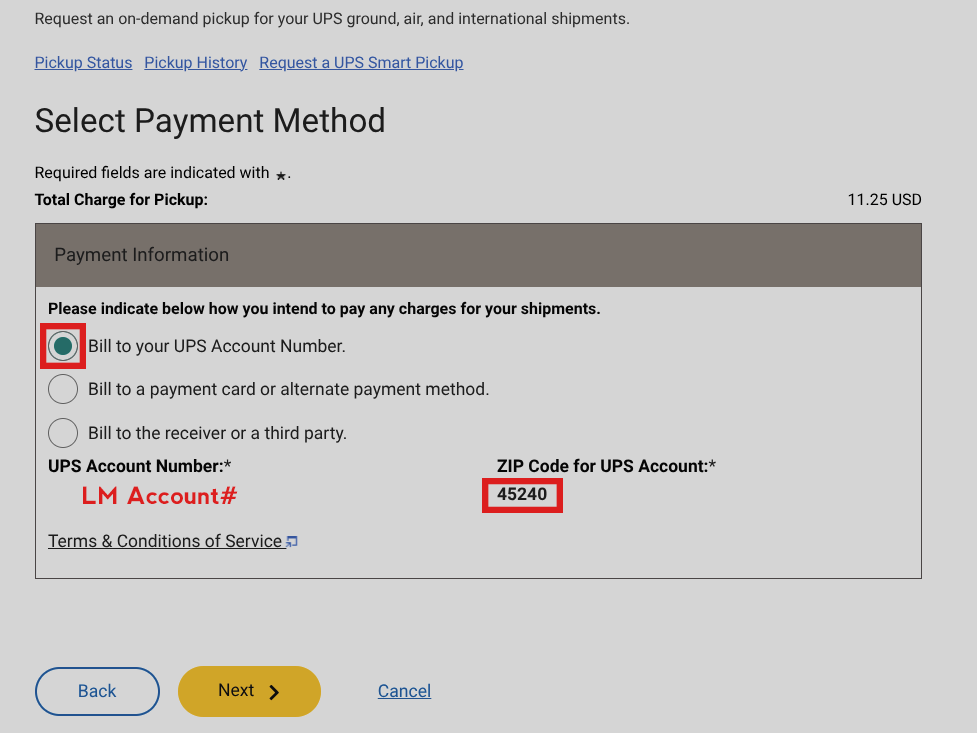
    Payment Information

    • You will be charging the pickup to LampMaster
    • Select 'Bill to your UPS Account Number.'
    • Confirm the UPS Account Number and Zip Code shown match LampMaster's Account Info
  • Step

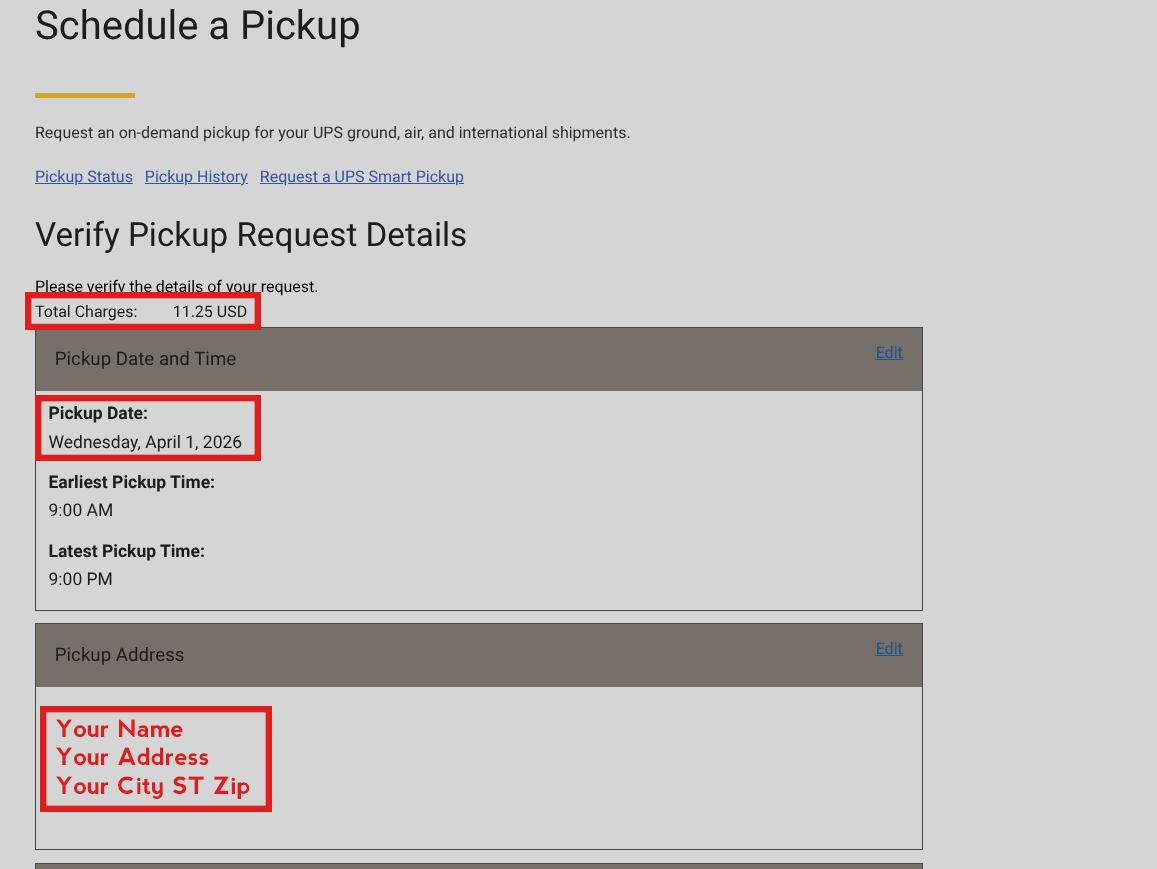
    Verify Pickup Request Details

    • Total Charges are billed to LampMaster
    • Confirm Date is a Future Day Pickup - Not Today
    • Confirm Pickup Address